
The Last Dashboard Is the One That Talks Back

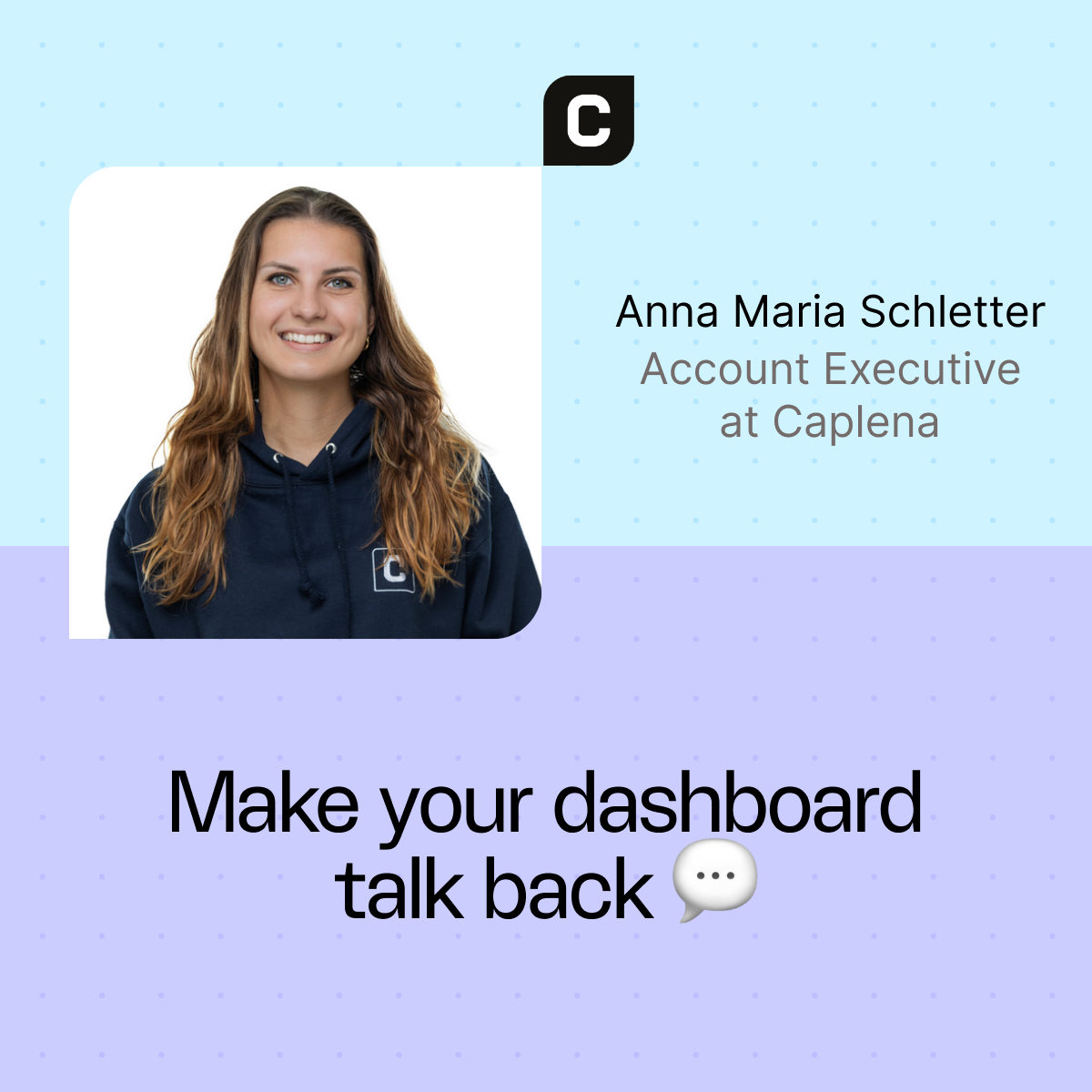
Anna Maria Schletter
Account Executive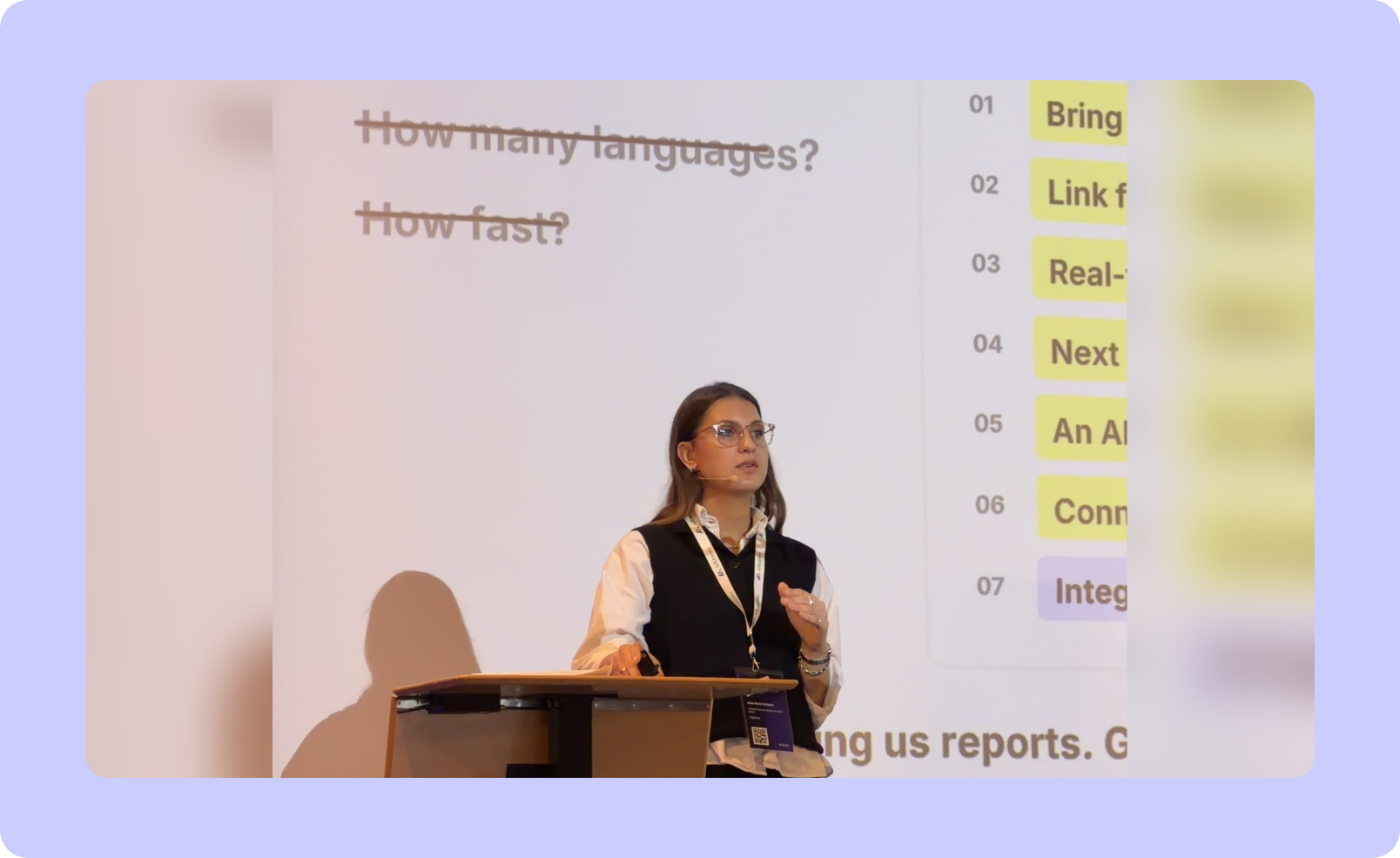
Transactional NPS in dozens of countries. Every service call recorded. App reviews, social posts and complaints, all tracked. And then one question: "What happened last month because of all that listening?"
I ask that in almost every buying conversation, right after a CX team has walked me through everything they listen to. The honest answer is usually a slide deck.
As an Account Executive at Caplena, I'm in the room when a company decides how it will listen to its customers for the next few years. This year that meant insurers, retailers, mobility companies and banks, and a few RFPs so long they came with their own table of contents. In October, I shared what those rooms have in common in a keynote at the Conversational AI & Customer Experience Summit in Munich. This is the written version, and one idea runs through all of it:
The shorter the distance between a customer saying something and the right person acting on it, the more a feedback program is worth.
Before we start:
One CX team estimated that its surveys capture 10% of what its customers tell the company.
Accuracy, languages and speed used to win CX RFPs. Now they're the entry ticket, and this year's seven new requirements add up to one ask: give us something that acts.
Three shifts shorten the distance between a customer speaking and someone acting: hearing instead of asking, agents that come to you unprompted, and insights with an owner. Deciding what to do stays human.
Who else opened your CX dashboard last week?
Companies have never listened to their customers so well. And they have never acted on it so little.
Most large companies built that listening over the past ten years, often with a relationship study against competitors on top. That's more listening than ever.
Three numbers from my conversations this year:
10%. In one RFP, the CX team estimated how much of their customers' voice their surveys capture once you count calls, chats, reviews, complaints and social posts. That was their own number.
Single digits. That's where email survey response rates have landed for most companies I talk to. A few years ago, it was low double digits.
The number nobody measures: how many of your dashboards get opened by anyone other than the person who built them? Every CX leader I ask smiles. It's not a happy smile.
For most dashboards, the honest answer is an audience of one.
Buyers have noticed too. It shows in what they ask for.
In CX RFPs, accuracy is the entry ticket
Two years ago, RFP questions were technical: How accurate is your text analysis? How many languages? How fast? They're still in there, but they're now the entry ticket, not the decision. This year's briefs read differently.
| Two years ago | This year |
|---|---|
| How accurate is your text analysis? | Bring all signals together in one place. |
| How many languages? | Link feedback to churn, retention, cross-selling and profitability. |
| How fast? | Real-time alerts. |
| Next best actions from generative AI. | |
| An AI agent we can talk to. | |
| Connect that agent to our own company LLM. | |
| Integration via MCP. |
Not one line asks for a better chart, and the last one would have surprised everyone a year ago. Read together, they make one request: stop giving us reports, give us something that acts.
I see three shifts behind that request. The first one changes what you listen to.
Shift 1: customers didn't wait for you
For years, feedback meant surveys: ask a question, count the answers. Surveys are fine, and I'm not here to bury them. The problem is that your customers didn't wait for yours.
They called your service line yesterday and explained, at length, why they're unhappy. They left a one-star Google review for your branch, wrote on Trustpilot, typed it into your chatbot. It all sits in your systems, unstructured and in many languages, and nobody reads it. Not because nobody cares. Nobody has time to read a hundred thousand comments. That part is basically solved now.
For years, the market research team at AIDA Cruises analyzed a sample of post-cruise comments by hand in Excel, usually for one open question. Since 2019, they've moved step by step: manual uploads to Caplena until they trusted the results, then a direct Qualtrics connection. More than 1.7 million guest comments later, a driver analysis shows which topics move their NPS. Same team, same survey, no more sampling.
Reading everything also surfaced something nobody went looking for: guests weren't sure what to wear in the onboard restaurants. The team checked it with a short survey, wrote clearer guidance, piloted it on a few ships and rolled it out across the fleet.
Once you can read everything, the survey becomes one source among many. Calls, complaints and reviews share the same topics, so "claims handling time" means the same thing on the phone, in a review or in a survey (how teams analyze those channels together). That's when a CX team stops owning a survey and starts owning the voice of the customer.
Which brings me to the topic of my talk.
Pure dashboards are doomed (charts aren't)
Let me be precise, because some of you have built very good ones. Charts aren't going anywhere. I mean the passive dashboard, the one that waits.
A dashboard is a question frozen in time. Someone decided months ago what you'd want to know and built a chart for it. Now, every week, you have to remember to open it, notice whether something changed, work out why, and tell someone. Four steps, all on you, on top of your actual job.
Anything that waits for a human will lose to something that doesn't. That's about attention, not technology. After watching what happens once our customers go live, I measure a feedback program by one thing, and it isn't how good the analysis is. It's how short the distance is between a customer saying something and the right person acting on it. Passive dashboards make that distance long. The next two shifts make it short.
Shift 2: the agent comes to you, unprompted
"Agent" has come to mean anything with a chat box (we've debunked a few myths about that). But a chat box still waits for you to ask. If you have to remember to prompt it, it's a dashboard with better manners. The shift is the reverse: you stop prompting, and the agent comes to you. It does three things a dashboard, or a chat box, can't.
It watches, and keeps quiet. We call ours Insights Radar. On a schedule you pick, it scans your reports and asks one question: did anything change that a person should know about? If your NPS is flat, it says nothing. Silence is the point. If the score moves, a card shows the change, its likely drivers and whether it's a risk to fix or an opportunity to scale. Once the shift is over, the card retires.
It comes to you. Nobody in operations wants another login, so findings arrive in Microsoft Teams, Slack or a Monday morning email.
It plugs into your own AI. Through the Caplena MCP, our Insight Agent answers inside Copilot, Claude or ChatGPT. AIDA is getting started with Microsoft Copilot, so its stakeholders can get insights without ever opening our platform. It's an odd thing for a vendor to say, but the best feedback platform may be the one your colleagues never see.
So do dashboards go? No. They merge with the agent: same charts, plus findings pinned next to the chart they came from, a box for questions in plain language, and a "make this a task" button on every finding. It's still a dashboard. It just stopped waiting for you. Does yours have a radar and a voice yet?
The demo runs on a sample insurance feedback project and asks what every CX team asks: what are our biggest problems right now? The answer brings the numbers, the size of the effect and the comments behind them, plus a new chart and follow-up questions. The report answers the question someone asked when it was built. The agent answers the one you have now.
Shift 3: every insight gets assigned
An insight nobody owns is still a dashboard, just a nicer one. In CX, the problem is rarely that nobody knew. Everyone saw the finding, so nobody did anything.
So the last piece is simple on purpose. One click turns an insight into a task with an owner, a priority and a due date. It lives in a list someone opens on Monday morning and filters by "mine." Tasks, which we launched alongside Insights Radar, are rolling out now. They're the part I'm most curious about, because that's where listening finally gets a name and a date. The distance doesn't close when someone knows. It closes when someone acts.
AI prepares the decision. You make it.
Every AI talk has a moment where the speaker says AI will do everything. This isn't it. Three things still need you: trust, taxonomy and judgment.
Trust. An agent that's confidently wrong is worse than a dashboard, because people stop checking. So don't just ask a vendor (us included) how accurate it is. Ask how you'll see when it's wrong. In Caplena, that's an AI Quality Score after every run, the original comment behind every topic assignment, and a version history you can roll back when the agent edits your topics.
Taxonomy. The agent proposes topics, spots overlaps, sharpens vague descriptions and tests a change on a subset before applying it. It can't decide what your business wants to measure. Every good program I saw this year started from the company's own driver framework and let the AI extend it. The ones that let the AI invent the structure got something clever that nobody owned.
Judgment. The agent will tell you a price increase is driving detractors in one market, and how big that effect is next to every other driver. It won't decide whether you change your pricing. The CX job doesn't disappear. It moves up, from building the finding to owning the call.
If you're writing an RFP right now, those make three good questions for any vendor.
3 things you can do before next quarter
Count your sources, not your surveys. List every place a customer talks to you, then note how many of those places anyone actually reads. The gap between the two columns is your business case.
Pick one report you check every week. Ask: could this come to me? If the answer is yes, that's your first agent. Start there, not with a platform migration.
Write a name next to every insight your team produces next month. A person, not a department. If you can't write a name, it isn't an actionable insight yet.
The last dashboard talks back
The last dashboard isn't the final one you'll build. It's the first one that finds you before you go looking, arrives with its cause attached, and hands the work to someone with a name.
Your customers are already talking to you, in more places than you count. For the first time, the tools to hear all of it aren't the bottleneck. So don't wait for the next dashboard. Let the insight come to you, give it a name and a date, and go fix it.
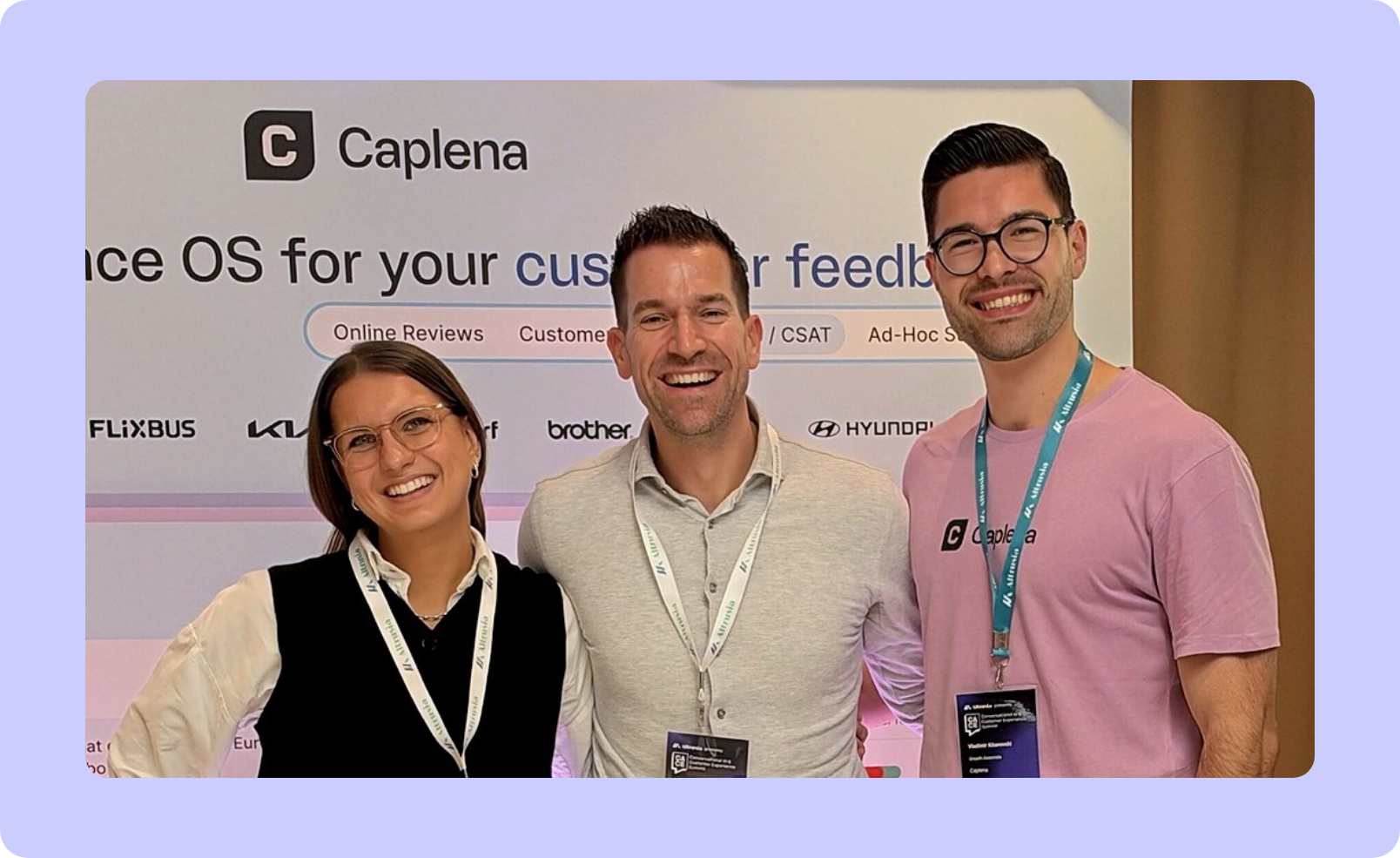
One last thing from Munich: our customer Tim Stierman, Digital Product Leader Global CX Platform at IKEA, stayed past his planned departure to catch the talk, then came by our booth to compare notes. Conversations like that one are genuinely my favorite part of the job.
At the Caplena booth after the keynote
Anna Maria Schletter with Tim Stierman (IKEA) and Vladimir Kitanovski, Growth Associate at Caplena, at CACES in Munich.
And if you own a dashboard you wish someone would open, feel free to send me a message. I'm more interested in your dashboards than in mine.
FAQ: Quick answers
Have a specific questions? These quick answers proactive insights, what to expect from the best customer insights agents, and which platforms can help you spot emerging issues.
What platforms proactively surface insights from customer feedback? |
|
A growing group of feedback platforms now flag changes without being asked. Enterpret's agent tells product, CX and support teams what changed in their feedback. Chattermill's Proactive Insights monitors feedback continuously, with anomaly alerts for the focus areas you define. Unwrap sends Slack and email alerts when it detects an anomaly. Experience management suites like Qualtrics and Medallia add AI that spots friction or emerging trends inside their broader platforms. To compare them, check how much setup each needs, whether every finding links to the comments behind it, where findings arrive (Slack, Teams, email, Copilot), and whether it covers every source, not just surveys. Caplena's Insights Radar scans your report views daily to monthly, stays silent when nothing moved, and retires findings once they stop being true. It's rolling out now and watches the report views you've saved, so a question nobody built a view for still goes to Insight Agent. |
What are the best AI agents for customer feedback analysis? |
|
The best one is the one your colleagues will actually use, with answers they can check. Chattermill's Lyra Agent and Enterpret's agent are built for CX, product and support teams working across many channels, and both connect to Claude, ChatGPT and other assistants through MCP. Thematic positions itself as an intelligence layer on top of an existing CX suite, with traceable answers. Judge any agent on five things.
Caplena's Insight Agent answers questions with charts in Caplena, Microsoft Teams, Slack, Copilot, Claude and ChatGPT. In Caplena, it also builds Smart Columns from a plain-language request and, as Topic Critique Agent, reviews your topics and fixes what's off once you confirm. It works on the feedback you bring into Caplena, so a channel you haven't connected stays out of its answers. |
Which platforms automatically identify emerging customer experience issues? |
|
Several platforms watch for emerging issues. Enterpret's Quality Monitor flags a break in a theme within the hour, Chattermill's Anomaly Detection sends alerts to Slack, email or Jira, Unwrap alerts you when it detects an anomaly, and Thematic offers early warning on emerging themes. When you compare them, ask how they separate a real shift from normal noise, whether you have to set thresholds, whether an alert comes with likely causes, and whether a brand-new issue becomes a topic you can track over time. Caplena covers this three ways. Insights Radar flags significant shifts with their likely drivers, and its findings can also reach Slack or Teams. Alerts email you on the schedule you set, in three types: Agent Prompt (a report on any question you write in plain language), New Topics (brand-new topics, with mention counts and sample comments) and Topics Trend (shifts in sentiment or mentions, against your own thresholds or detected automatically). And the Topic Assistant suggests missing topics as new data arrives. |
Related blog posts
How to Ask for Customer Feedback – And Get an Honest Response
Customer feedback is about more than knowing whether your customers give your product three stars or five stars (although that is a valuable insight). It’s also about gathering the information that can help you make critical decisions and improvements….

Customer Surveys: Open-Ended vs. Multiple-Choice Questions
How do you decide on what kind of survey to use? We’re eliminating some of the guesswork for you by giving you foundational advice to creating an effective customer survey, and a good old-fashioned comparison between open-ended vs. multiple-choice.
Coop Case Study: Getting Actionable Insight From Mass Feedback Analysis
What do customers think about organic food? What do they like about the newly built store? Why do some customers feel 😊, while others feel 😩? These are questions that Coop, the Swiss Retailer wanted to find out!
How to Ask for Customer Feedback – And Get an Honest Response
Customer feedback is about more than knowing whether your customers give your product three stars or five stars (although that is a valuable insight). It’s also about gathering the information that can help you make critical decisions and improvements….
Customer Surveys: Open-Ended vs. Multiple-Choice Questions
How do you decide on what kind of survey to use? We’re eliminating some of the guesswork for you by giving you foundational advice to creating an effective customer survey, and a good old-fashioned comparison between open-ended vs. multiple-choice.
Coop Case Study: Getting Actionable Insight From Mass Feedback Analysis
What do customers think about organic food? What do they like about the newly built store? Why do some customers feel 😊, while others feel 😩? These are questions that Coop, the Swiss Retailer wanted to find out!